


Chrome’s Enhanced Autofill Transforms Online Form Filling Experience
Filling out online forms can often feel tedious, particularly when switching between tabs or sifting through your inbox for necessary information. However, Google Chrome is set to streamline this process significantly with its latest feature update to enhanced autofill.
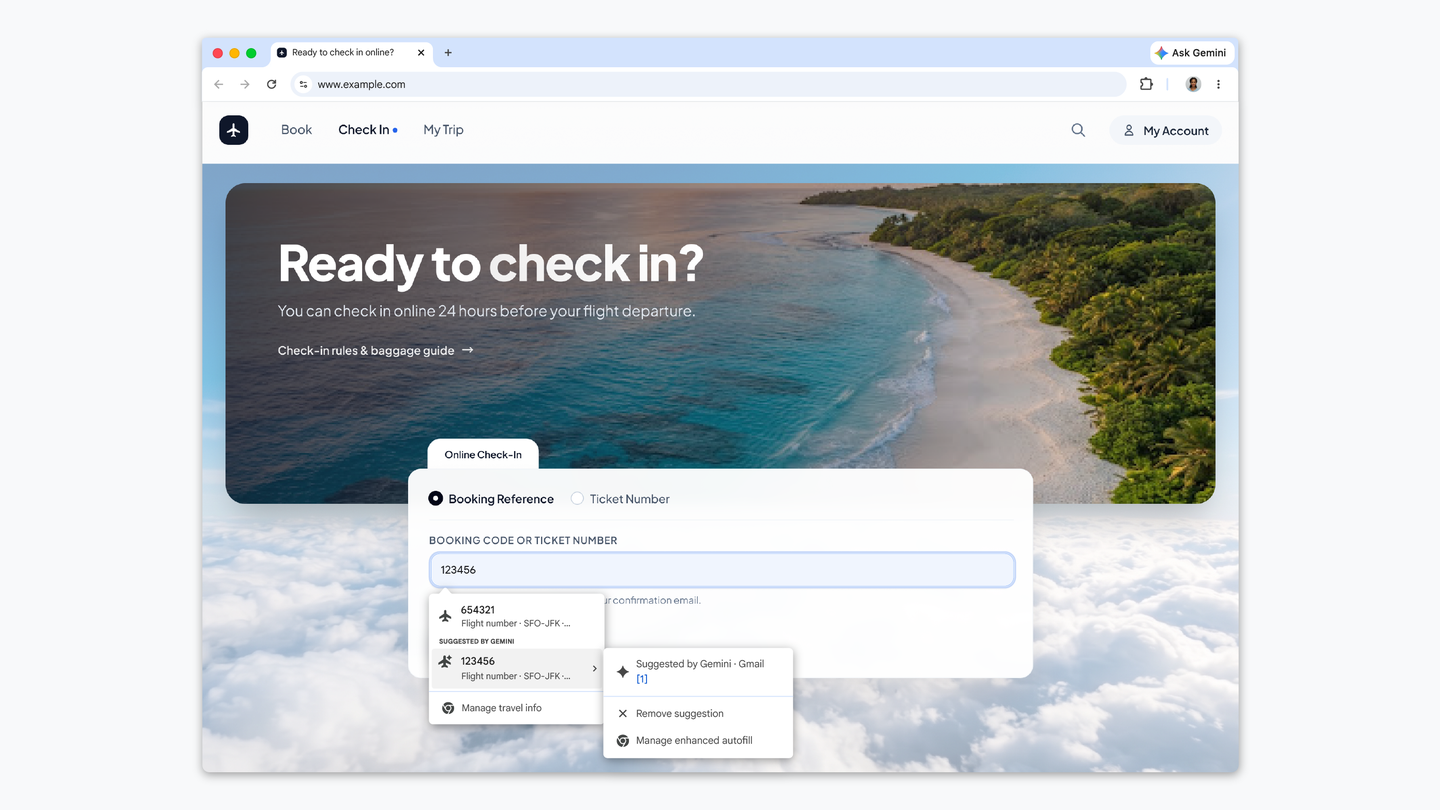
Beginning today, Chrome’s autofill capabilities are getting an impressive upgrade. This new feature will now pull information directly from Gmail, making it easier to input essential details like order numbers, tracking information, and flight bookings as users fill out forms online. Powered by Gemini with Personal Intelligence, this innovation addresses a common frustration faced by internet users.
How Enhanced Autofill Works
The enhanced autofill feature taps into the vast amounts of data housed in Gmail, providing contextual suggestions precisely when users need them. Users will no longer have to navigate away from their current task to find information buried in emails. Instead, relevant data will be readily available, enhancing both productivity and user experience.
In a future update, this functionality is set to expand further, with plans to allow enhanced autofill to securely access information from images stored in Google Photos. This will open the door for even more comprehensive form-filling capabilities.
Safety and Control
Privacy remains a top priority for Google. All sensitive data managed through the enhanced autofill system is encrypted. Users maintain control over the feature’s accessibility, with the ability to manage its settings directly through Chrome. This ensures that data security remains intact while users enjoy the convenience of smarter autofilling.
Availability
The new autofill features are currently rolling out across the U.S. on desktop and mobile devices, including Android and iOS platforms for users of Gemini who have enabled Personal Intelligence. This rollout represents another step toward integrating more advanced functionalities into everyday applications.
As the landscape of online tools continues to evolve, the need for seamless integration becomes increasingly relevant. Platforms that allow users to explore multiple AI tools in one place, like AllAI, can help streamline user workflows and improve overall efficiency. The melding of multiple leading technologies into one cohesive workspace will allow users to fully leverage their capabilities while saving time and effort.
This latest enhancement in Chrome’s autofill feature marks a significant advancement in how we interact with technology day-to-day, making the process of filling out online forms not only quicker but also smarter.