

Celebrate Halloween with Google Photos: Tips to Enhance Your Spooktacular Memories
As Halloween approaches, the excitement begins with pumpkin patches, clever costumes, and unforgettable spooky nights. This year, make sure your cherished memories stand out by utilizing some fantastic features in Google Photos. From lively edits to sharing experiences, here are the essential tricks to elevate your Halloween celebrations.
Emoji Reactions in Shared Albums
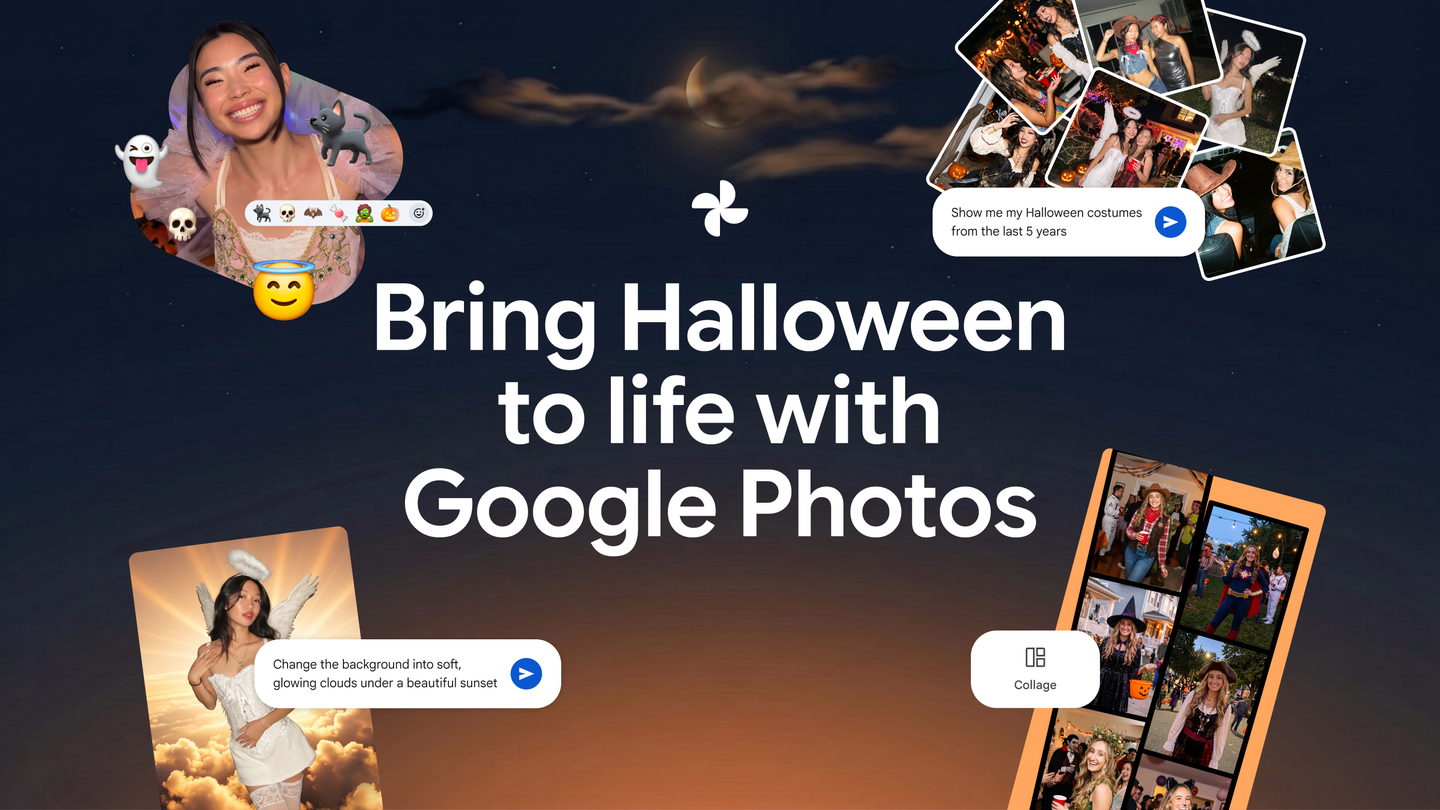
Immerse yourself in the festive spirit by reacting to photos in shared albums using a variety of emojis. Whether it’s a pumpkin, a zombie, or creepy cobwebs, these expressive icons can truly encapsulate the essence of the moment—a fun way to engage with friends and family. 🎃🧛♂️🦇
Never Repeat a Costume Again
Tired of wearing the same costume as last year? Use the Ask Photos feature to quickly check your previous Halloween outfits. Simply search for “What costumes have I worn on Halloween?” to conveniently access your past costume archives and avoid any repeats.
Transform Your Photos with Spooky Edits
With Google Photos, you can edit your images for a more haunting vibe. Use the Ask Photos tool to change backgrounds into eerie scenes, add creepy filters, or even remove photobombers from your Halloween snapshots. A personalized approach adds a unique twist while preserving the memories.
Set the Mood with Halloween Filters
Enhance your Halloween photos with themed filters. Experiment with the Moods feature, which offers options like “Night Lights” that can adjust the ambiance for perfect late-night photos while you indulge in all the spookiness!
Create Custom Collages
Looking to showcase your favorite costumes all in one place? Use Google Photos to create custom collages. With various templates and border options in your color choice, you can craft a visual story that captures your Halloween spirit splendidly.
Embrace the joy of holiday memories with these Google Photos features and bring your Halloween moments to life. Whether you’re capturing the perfect shot or revisiting joyful memories, these tips will help you savor every moment. Explore the Google Photos app today and transform your Halloween experience!
Plus, for those who enjoy merging creative tools, consider ways to explore multiple AI tools in one place. It can streamline your workflow and enhance how you manage your digital memories during festive occasions.